Run your cleaning business from one app.Job management software for cleaning businesses with a crew on the road.
Extrua Dispatch is job management software for cleaning businesses. Quoting, recurring cleans, job scheduling, GPS clock-on, checklists, invoicing and a client portal are in one app, on the office computer and on your crew’s phones. It gives me back over 20 hours a week to work on the business.
- No card to start
- Your first user is free for 14 days
- Month to month. Cancel any time.
Then from A$39 a month for each office user and A$25 for each field user, our founding price for the first 300 users to join Dispatch. The trial starts on Starter; you can change plan any time.
 Built by Steve, who runs his own cleaning business on it every day.
Run a trade? It does that too.
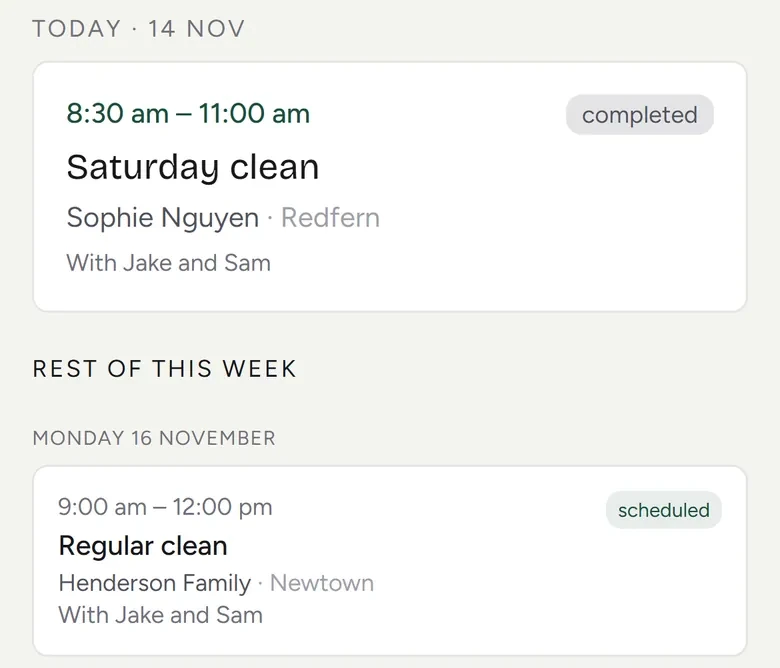
Two minutes of Dispatch at work
Captions are on, so it works on mute.
Dispatch in two minutes
The phone answered after hours, the crew on their phones, invoices into your books, and why it was built. Talk-to-quote in the video (say the job out loud and the quote lands as a draft) is for cleaning businesses on Growth or Pro.
From the first call to paid, in four steps
- 1
Quote on the spot
Build and send a quote in minutes and take a deposit. Dispatch sends the follow-up, so fewer quotes go unanswered.
- 2
Schedule & dispatch
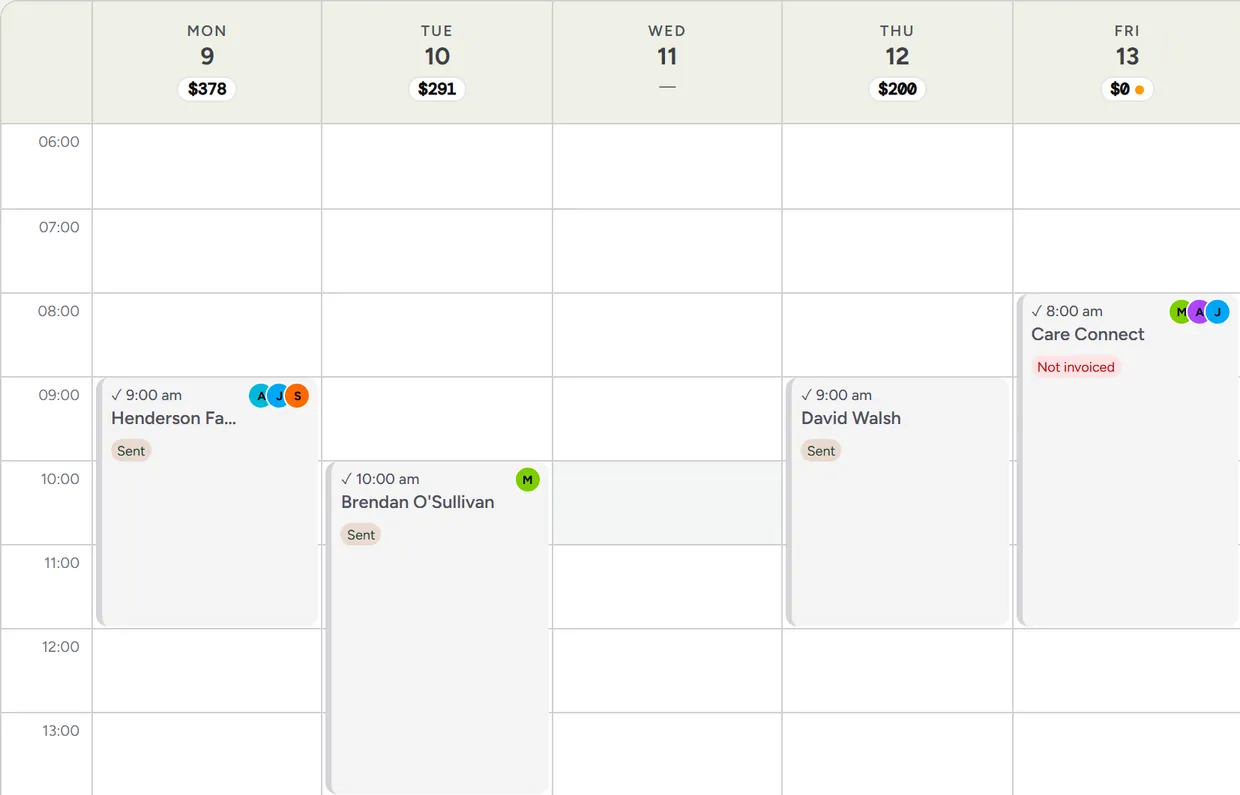
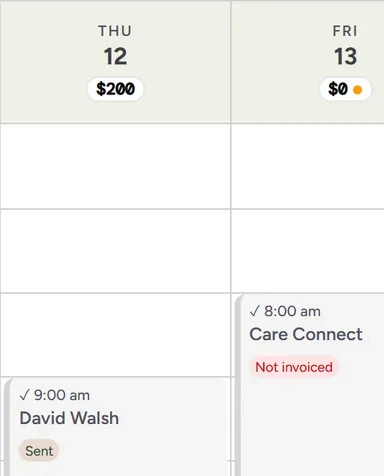
Drop the job on the calendar and assign your crew, one-off or recurring. Everyone sees what's on, where, and when.
- 3
Your crew clocks on
Each crew member clocks on from their phone with GPS, works the job checklist, and captures before/after photos, so you know it was done to standard.
- 4
Invoice & get paid
The finished job becomes an invoice with online payment, so nothing is re-keyed and no bill goes out days late.
Your first 14 days, day by day
- Day 1
Sign up and your workspace is ready
No card and no sales call. Your workspace is set up automatically and your login details arrive by email within minutes. The set-up steps can fill in your business details from your website. Add your logo and colours, and they go on the app and on the quotes and invoices you send.
- Day 1
Bring your customers in
Add your first client by hand, or import your client list from a CSV file. Dormant clients come too; old records cost nothing to keep.
- This week
Send a quote and schedule a job
Build a quote and send it. Put your first job on the calendar, one-off or recurring.
- This week
Add the crew when you're ready
The trial covers one user: you. To add someone you add a card first, and each extra user is billed from the day you add them. They clock on from their phone with GPS and work the job checklist.
- This week
Invoice the finished job
The finished job becomes an invoice with online payment. Connecting your accounting is optional.
- About day 11
A reminder
You get an email about three days before the trial ends, and your dashboard shows the days left the whole way through.
- Day 14
You choose
Add a card and the trial turns into your plan, with your first payment taken then. If you don't, your workspace pauses and everything in it is kept.
Three plans for the office, one price for the field
No GST is charged. Change plan any time; your jobs, crew and history come with you.
Starter
New sign-ups pay A$53 after the first 300 users have joined Dispatch.
- Scheduling & dispatch: one-off and recurring jobs
- Quoting, invoicing & online card payments
- GPS clock-on for crews, straight from their phone
- Client portal with online bookings
- Accounting sync: invoices go into Xero
- Job costing & profit reports: what each job and client makes
- Connect your other software: an API and webhooks for your clients, jobs, quotes and invoices
Growth
New sign-ups pay A$57 after the first 300 users have joined Dispatch.
- Everything in Starter
- AI chat widget for your website: answers questions and captures every enquiry while you work
- In-app AI: answers from your own documents and drafts replies to enquiries
- Lead-source reports and campaign links: see where your work comes from
Pro
New sign-ups pay A$69 after the first 300 users have joined Dispatch.
- Everything in Growth
- AI voice receptionist: answers the phone 24/7 and takes the details of every enquiry. It never hangs up on a caller: if it can't finish something mid-call, it takes their details and promises a callback
- SMS + a dedicated business number, set up once your subscription has made its first payment (calls, texts and the number charged on top, as usage)
- Intake & consent forms
Not sure which? Start on Starter. You can move up or down at any time.
Field user, on any plan · signs in to the staff app only: jobs, clock-on, photos and checklists
A$25 a month for each field userNew sign-ups pay A$36 after the first 300 users have joined Dispatch.
Founding price. It's for the first 300 users to join Dispatch, and yours for as long as you stay.
What a crew costs: You in the office and three on the tools is A$114 a month on Starter (A$39 + 3 × A$25).
Free for 14 days for your first user.
- To add another user you add a card first, and every extra user is billed at your plan's price from the day you add them, for the days left in the trial.
- No card to start. Add one before day 14 and the trial turns into your chosen plan, with your first payment taken then.
- If you don't, your workspace pauses and everything in it is kept.
- We’ll email you before it ends, and your dashboard shows how many days are left.
- Guided onboarding and migration help are there if you want them.
What the free trial doesn’t include
- A phone number: the AI voice receptionist and texting from your own number start after your first payment.
- The Phone & SMS pack can't be added until the trial has turned into a paid plan.
- Lower sending limits during the trial: up to 150 customer emails and 40 texts a day.
- “Done for you” set-up or a website build: a separate one-off, quoted on its own.
Compare the three plans, feature by feature
| Feature | Starter | Growth | Pro |
|---|---|---|---|
| Run the day: all plans | |||
| Scheduling, jobs & clients | Included | Included | Included |
| Quoting, invoicing & online payments | Included | Included | Included |
| Staff app + GPS clock-on | Included | Included | Included |
| Client portal + online bookings | Included | Included | Included |
| Recurring jobs | Included | Included | Included |
| Accounting sync | Included | Included | Included |
| Job costing & profit reports | Included | Included | Included |
| Connect your other software (API and webhooks) | Included | Included | Included |
| AI: Growth & above | |||
| AI chat widget for your website | Not included | Included | Included |
| In-app AI | Not included | Included | Included |
| Lead-source reports & campaign links | Not included | Included | Included |
| Voice & SMS: Pro | |||
| AI voice receptionist | Not included | Not included | Included |
| SMS + dedicated business number | Not included | Not included | Included |
| Intake & consent forms | Not included | Not included | Included |
| Add on to any plan | |||
| Phone & SMS pack: your own number, reminders and two-way texts | Add-on | Add-on | Included |
| Marketing: post to your Facebook Page and Instagram | Soon | Soon | Soon |
Who Dispatch is for, and who it isn't
It fits if
- You book jobs, send quotes and invoices, and want less admin.
- You have people in the field who need their jobs, a clock-on and a checklist on their phone.
- You want to try it yourself first, with no sales call.
It's not the right fit if
- You need payroll in the same app. Dispatch records the hours and hands over a payroll file; pay, tax and super stay in your payroll software.
- You need vehicle GPS tracking or connected supplier catalogues. Dispatch has neither.
- Your office works without an internet connection. The crew app works with no signal and syncs later; the office side needs a connection.
Questions before you start the trial
Before you start
How much does Extrua Dispatch cost?
What if I'm not good with computers?
Can Dispatch replace my current job management app?
Where is my data stored, and do I keep it if I cancel?
What it does
Is Dispatch job scheduling software or field service software?
Does Dispatch work offline?
Can one quote offer the customer a choice?
Do texts go out from my own number, and can customers reply?
Does Dispatch send reminders for me?
Keep reading
Guides
- Job scheduling software: how to choose
- How to choose cleaning business software
- GPS clock-on for cleaning crews
- How to schedule recurring cleaning jobs
- Why your field-service app needs to work offline
Written for your kind of business
- Trades
- Commercial & strata cleaning
- Home & end-of-lease cleaning
- Pest, pool & window rounds
- Pest control
- Electricians
- Plumbers
- End-of-lease cleaning
- Carpet cleaning
- Childcare centre cleaning
- Office cleaning
- Strata cleaning
- Field service management software
By the job you need done
Set up yourself, or have us set you up
Sign up self-serve and be running in minutes. Or tell us about your team and we'll set you up personally.
- hello@extrua.com.au
- Based in
- Australia
- Resellers
- Know businesses that need it? Become a reseller of Dispatch